
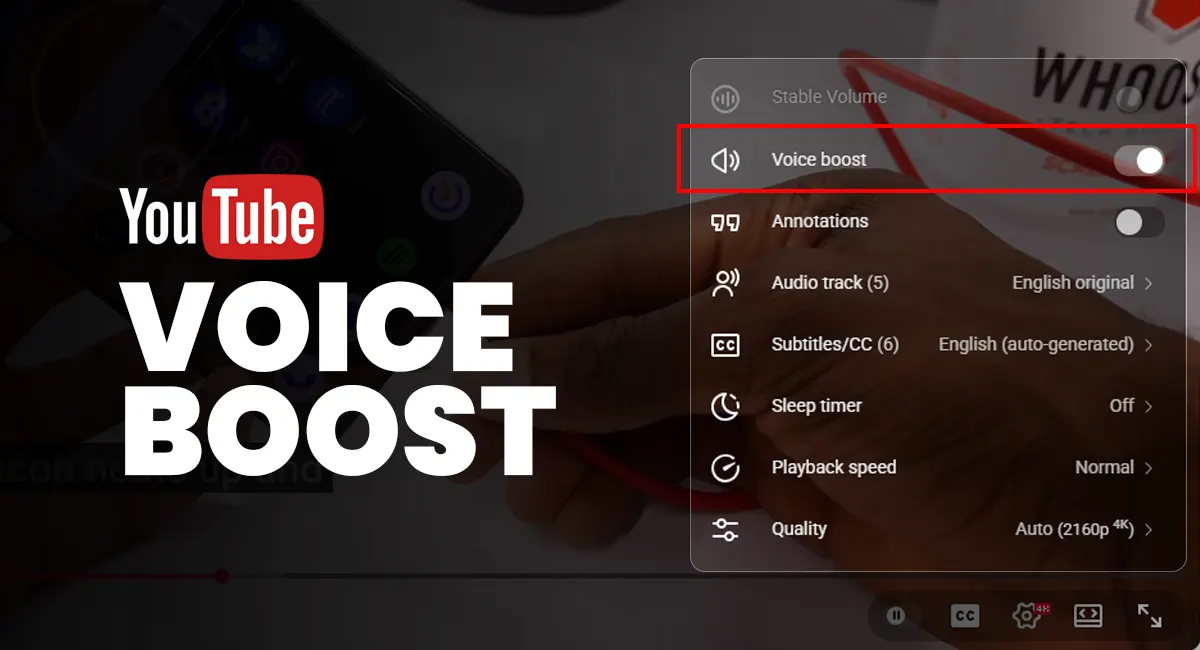
Oh, how frustrating it is to watch a YouTube video with unclear audio, whether because of the environment in which the content was shot or the creator’s lack of proper audio gear. You raise the volume, replay sections, and still struggle to catch every word. Well, not anymore.
While your favourite YouTube content creators are still hoping for the best microphones for YouTube to reduce background noise and improve audio quality, YouTube is using artificial intelligence to address the voice problem by enhancing spoken audio and making voices clearer during playback.
What is YouTube Voice Boost?
YouTube Voice Boost is an audio enhancement feature designed to make spoken dialogue clearer when watching YouTube videos. Using AI, voice boost identifies voices and raises the volume of spoken words relative to background sounds like music, ambient noise, or sound effects, so the dialogue becomes easier to hear.
The adjustment happens only during playback on your device, and doesn’t affect the original video or how it sounds on other devices where the feature isn’t enabled.
When was Voice Boost YouTube Feature introduced?
Quietly rolling out for selected users and devices, the Voice Boost YouTube feature began appearing gradually in late 2025, with wider visibility in early 2026. Availability still varies by region, app version, and platform, which explains why some users see the option while others do not.
How Voice Boost YouTube works
When enabled, Voice Boost analyses the audio in real time by separating voice frequencies from other sounds and amplifying speech while slightly reducing competing audio. The result is clearer dialogue, though the processing can sometimes sound artificial depending on the original audio.
Prioritising dialogue clarity, Voice Boost works best for interviews, tutorials, lectures, and other talk-based content, making speech easier to follow.
How to turn on YouTube Voice Boost
To use Voice Boost, play a video and open the settings icon (⚙️) in the YouTube video player. If the option is available on your device, you will see “Voice Boost” under audio settings. Toggle it on to enhance speech or off to return to the original sound. Not all videos or devices support it.
Why YouTube Voice Boost Sucks for Some Users
While some viewers find Voice Boost genuinely helpful, especially when voices are hard to hear. Others say it makes audio sound processed, flattens music, and reduces sound quality in videos where audio detail matters. The experience depends on the content type and how the original audio was recorded. There is also the concern that Voice Boost changes how some YouTubers intended their audio to sound.
Is YouTube Voice Boost worth using?
Voice Boost on YouTube works best for speech-focused content, such as interviews, discussions, and educational videos, only when speech isn’t clear due to background noise or poor audio equipment. For music videos or content with careful sound design, turning it off preserves the creator’s intended audio.
The new Voice Boost feature is an addition to YouTube’s audio tools, following the release of Stable Volume, which balances loud and quiet moments, and automatic dubbing for multi-language audio. All of these features have received mixed reactions from users and content creators alike. Interestingly, Stable Volume and Voice Boost don’t work together; YouTube viewers have to pick between balanced audio and enhanced voices.