
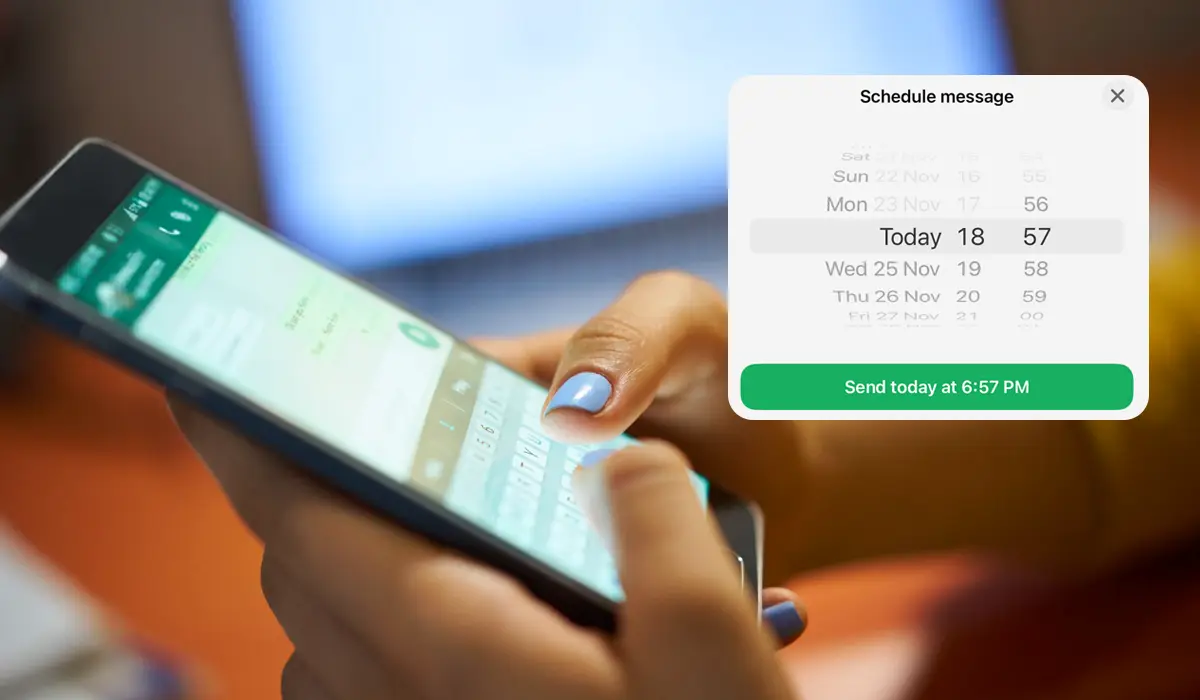
WhatsApp is rolling out a message-scheduling feature that lets users deliver text messages at a set date and time.
With the new feature, you no longer have to stay awake until midnight to wish someone a happy birthday. Nor do you have to send that ‘done’ text to your nagging boss at 4:59 pm just to avoid another round of back-and-forth.
Simply write your message, set the delivery time and let WhatsApp do the rest, just like with emails😍
Here’s how to schedule a WhatsApp message
#1. Open your updated WhatsApp and go to the individual or group chat where you want to send a scheduled message.
#2. Type the message you want to send.
#3. Tap and hold the send button instead of tapping it normally.
#4. A scheduling option will appear, from which you’ll select your preferred date and delivery time.
#5. Confirm your selection, and WhatsApp will automatically send the message at the scheduled time.
Whether you are dealing with messages you would rather not send immediately or simply want to get ahead of your schedule, you can set messages to go out as early as 10 minutes ahead or as far as 14 days in advance.
Before they are delivered, you can still view, copy or delete scheduled WhatsApp messages in both group and individual chats. However, you cannot edit a scheduled message once you have set it up.
Still, your phone does not need to be online when the scheduled message is due. WhatsApp handles the delivery automatically.
The feature is rolling out to some WhatsApp accounts, so if you cannot see the scheduling option yet, you may need to wait for it to reach your account.
