
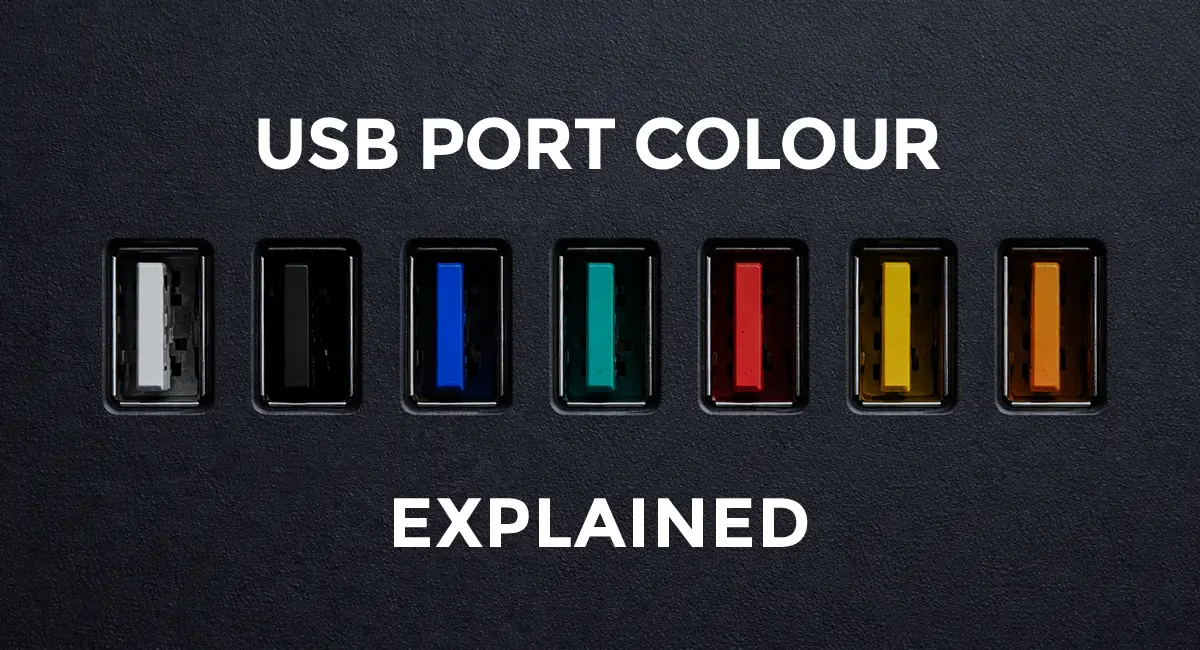
You’ve probably noticed that USB ports come in different colours on your PC or laptop. Those colours aren’t for decoration. They often explain why file transfers feel slow or why charging your phone takes longer than expected. Once you understand what USB port colours and versions mean, you may realise your computer isn’t the problem. You might simply be plugging into the wrong port.
White USB Ports
White USB ports usually indicate USB 1.0 or 1.1, the earliest USB standards released in 1996 and 1998. These ports were extremely slow by today’s standards, with maximum transfer speeds of just 12 megabits per second. With this speed, copying a single song could take several seconds, and transferring a movie could take hours.
Because of these limitations, white USB ports are almost extinct. You may still find them on very old PCs, printers, or legacy equipment. If you ever come across one, think of it as a basic input port for keyboards and mice, but not for anything that needs fast data transfer.
Black USB Ports
Black USB ports usually indicate USB 2.0, which was released in 2000. This USB version was a huge upgrade at the time, increasing speeds to up to 480 megabits per second, about 40 times faster than the old USB 1.x ports. This made moving songs, photos, or everyday files finally feel practical and reliable.
Although faster versions have been introduced, USB 2.0 ports are still common today. Because they are cheap, reliable, and suitable for low-power devices, many modern computers include them for accessories such as keyboards, mice, webcams, and printers. Just remember, they work fine, but for tasks like transferring large files or running an external hard drive, they’re much slower compared to newer USB versions. Charging is also limited compared to newer standards.
Why Older USB Ports Feel Slow (Duplex Explained)
Both USB 1.x and USB 2.0 use half-duplex communication. This means data can only travel in one direction at a time. The port must stop sending before it can receive, and vice versa.
Blue USB Ports
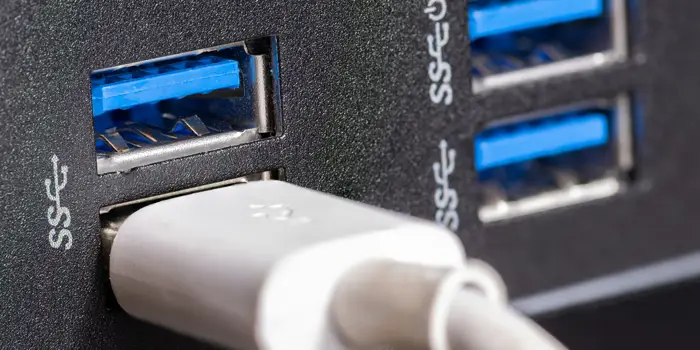
The most recognisable blue-coloured USB ports represent USB 3.0, introduced in 2008 and marketed as SuperSpeed USB. These ports lived up to the SuperSpeed name, with transfer rates of up to 5 gigabits per second, more than 10 times faster than black USB 2.0 ports. As a result, moving big files, HD movies, or entire backups became much quicker. USB 3.0 also introduced full-duplex communication, enabling data to be sent and received at the same time.
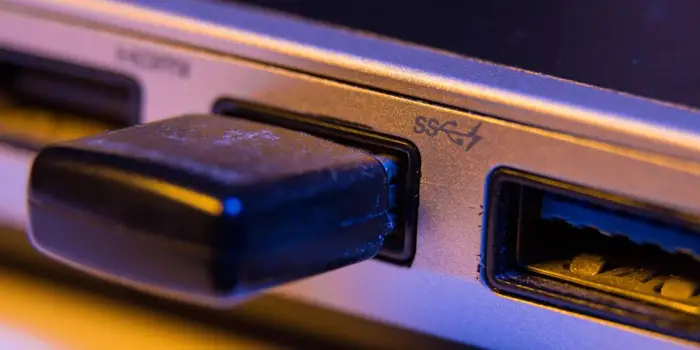
Speed wasn’t the only improvement. USB 3.0 ports could also allow more power output to connected devices, supporting external hard drives and other power-hungry accessories. However, faster charging is not guaranteed, as charging speed still depends on the device and the charging standard it supports. The blue colour made it easy to spot these ports on laptops and PCs, and even though newer versions like USB 3.1 and 3.2 exist, many manufacturers still use blue to indicate high-speed ports on newer systems.
Yellow and Orange USB Ports
Yellow and orange USB ports are not linked to a specific USB version or speed, even though they follow the USB 3.0 standard. Instead, they usually indicate an “always-on” or “sleep-and-charge” port. These ports continue supplying power even when the computer is turned off or in sleep mode. For example, you could plug in your phone, close your laptop lid, and it would still charge without needing the computer fully on.
They are useful for charging phones, power banks, or wireless accessories without keeping the computer running. Some of these ports can also deliver higher current than standard USB ports, making them faster and more reliable for charging devices. While the port colour varies by manufacturer, sometimes even red or black, the key indicator of this function is usually a battery icon, lightning bolt, or power symbol marking next to the port.
Teal and Red USB Ports
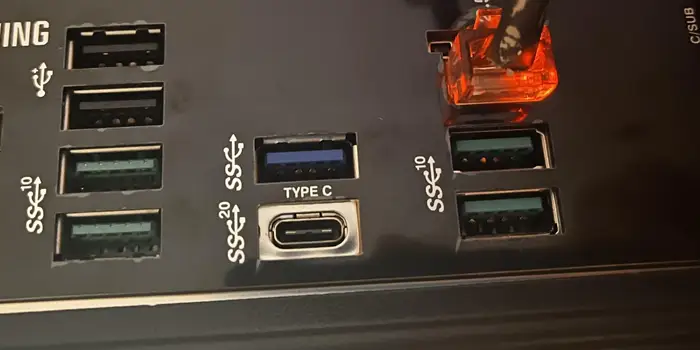
Teal, introduced in 2023, and red, introduced in 2017, coloured USB ports are often used to indicate higher-performance ports, commonly USB 3.1 or USB 3.2, which are upgrades to the older USB 3 standard.
USB 3.1 doubled the speed of USB 3.0, reaching up to 10 gigabits per second, while USB 3.2 can reach up to 20 gigabits per second on supported devices. These speeds are fast enough to move massive files, 4K video footage, or even run external SSDs at full performance.
That said, the colour alone isn’t a guarantee of speed. Some manufacturers use teal, while others use red, and occasionally the colour red appears on high-power USB 2.0 ports designed mainly for charging. That’s why it’s important to check for markings like SS, SS10, or SS20 next to the port, as they indicate the actual speed. In short, teal or red USB ports with “SS” markings are your fastest data ports, ideal for large files, 4K video, or running external SSDs at full performance.
What You Should Remember
USB port colour can help you make a quick guess, but it should never be your only guide, since some manufacturers colour ports purely for design. When performance matters, such as charging or file transfer, always check port markings, symbols, or the manufacturer’s specifications.
